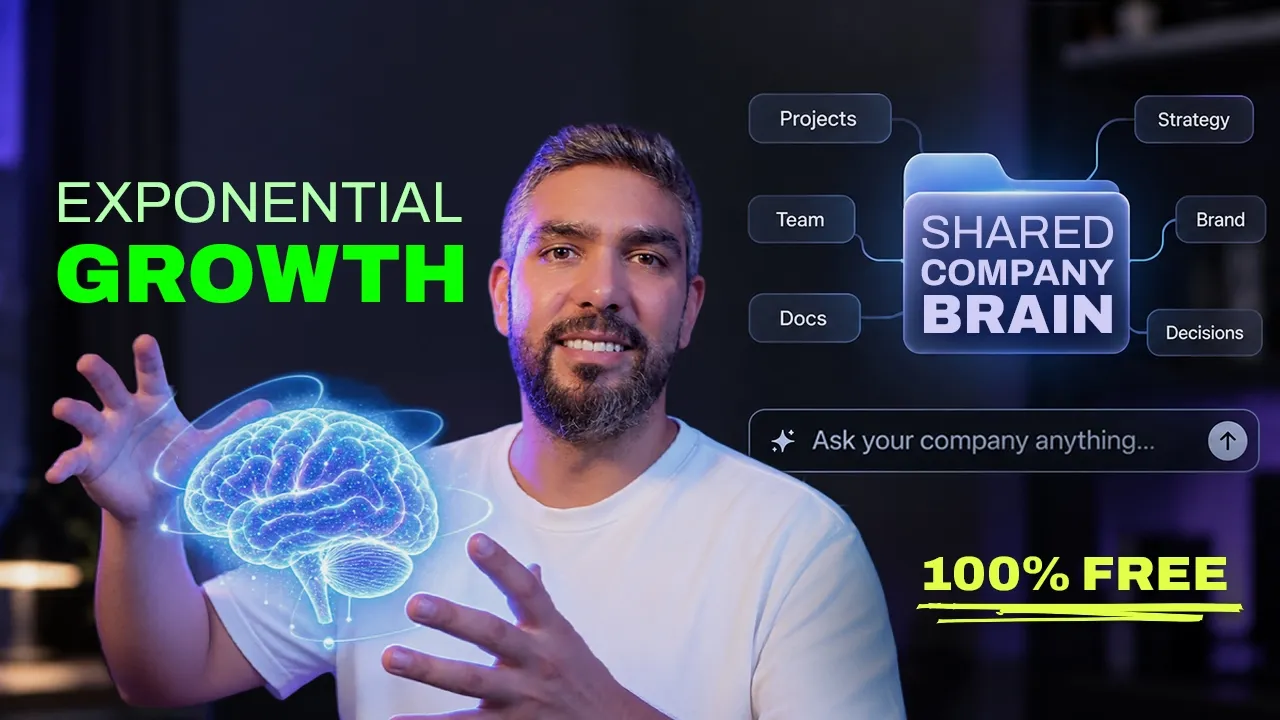
FREE COMPANY BRAIN SETUP
The prefect way to manage your company, organize your assets and work on projects. The Company Brain stores your important knowledge in one organized folder. Every new task can begin with what your company already knows, where it has been, and where it is trying to go.
No subscriptions • No database • No server • No coding required
QUICK NAVIGATION
WHY THIS EXISTS
Normally, you explain your company, audience, product, brand, and previous decisions again and again. When someone else on your team uses AI, they may give it completely different information. The Company Brain changes that.
COMPANY BRAIN
Company → Brand → Products → Goals → Research → Decisions → Projects → History
↓ AI ↓
Better context for every task
The folder becomes the company’s persistent knowledge base. AI allows you to communicate with your company and manage it effectively.
REQUIREMENTS
ChatGPT Desktop, or Claude Code, or any other AI that connects to a folder.
The free Company Brain folder
Your existing company material, if you have any
You do not need
Coding experience
A database
A server
Git
GitHub Desktop for the basic solo setup
GitHub is where the official version stays updated, but you can simply download the folder and use it locally.
GET STARTED
01
Download the Company Brain
Open the GitHub repository, choose Code → Download ZIP, then unzip it somewhere you want your company files to live. The folder becomes your persistent company knowledge base.
Documents/ └── My-Company-Brain/
02
Add anything you already know
Open 00-INBOX/ and drop in useful company material: brand guidelines, presentations, plans, product docs, research, strategy, website copy, notes, PDFs, screenshots, previous AI outputs, and approved assets. Don’t organize it, the inbox is for raw material.
00-INBOX/
03
Open the entire folder in Codex
In ChatGPT Desktop, go to Codex and open the whole Company Brain folder as your project. Do not open only the inbox or one individual file; Codex needs the full structure.
Open the full Company Brain folder
04
Run the setup
Start a new Codex task with the main setup command. The instructions already live inside the folder, so you do not need a giant prompt.
Set up my company brain.
Codex inspects the inbox, identifies what is known and missing, asks only the questions it still needs, and organizes the approved information.
THE FOLDER SYSTEM
Codex organizes approved information into clear areas. You do not need to manage the structure manually, but it stays readable and portable because everything lives in files you control.
.company-brain/ local identity and operating state
00-INBOX/ unsorted source material awaiting review
00-MIGRATE-OLD-SETUP/ previous AI Tooltip systems
01-COMPANY/ company, audience, strategy, goals, team
02-DEPARTMENTS/ specialized knowledge by function
03-BRAND/ brand direction, language, design system
04-PRODUCTS/ products, offers, positioning
05-PROJECTS/ briefs, research, notes, decisions, work
06-RESEARCH/ customers, competitors, markets
07-CONTENT/ approved and working content
08-REFERENCES/ useful source material
09-ASSETS/ approved files and media
10-OUTPUTS/ completed deliverables
11-SYSTEM/ rules, workflows, schemas, migrations, updates
Company
The highest-level source of truth: what the company does, its audience, strategy, goals, team, important decisions, and meaningful activity. This context comes before individual tasks.
Departments
Departments keep specialized knowledge focused while sharing the same company context. The starter includes Creative, Business, Product & Development, and Analytics. Add Customer Success, Operations, Finance, or other functions as your organization evolves.
A developer does not need every social media reference. Marketing does not need every engineering detail. Both should understand the same company, products, goals, and approved decisions.
Where the Design Studio fits
The Creative Department can hold design skills, brand-specific skills, web and social workflows, presentations, print and motion workflows, the Brand Kit, design system, Storybook, and theme editor.
DESIGN SKILLS → DESIGN STUDIO → COMPANY BRAIN
Teach AI how to design → Build the Creative Department → Build the company around it
DAILY WORK
Once setup is complete, start new Codex tasks without explaining the company every time. Codex can read the relevant Company Brain files before answering.
Give me five campaign ideas for our new product.
What are our most important goals right now?
What research do we already have about this audience?
Why did we change our positioning?
What previous decisions should I know before working on pricing?
Start a dedicated project
Start a project for redesigning our website.
Creates a dedicated project inside 05-PROJECTS/.
A project can contain its brief, research, notes, references, decisions, and working files. It can use company-wide knowledge (audience, brand, product, goals, prior research, and decisions) without duplicating it.
Correct the source, not every answer
If AI repeatedly makes the same wrong assumption, update the source of truth instead of fixing each output. Future tasks can then use the corrected context.
Our primary audience is now agencies instead of freelancers. Update the relevant Company Brain information.
Ideas are not decisions
A possibility should stay an idea or proposal. It should not silently rewrite company strategy. Humans remain in control, and approved decisions should be explicit.
Maybe we should start targeting enterprise companies.
Keeps the thought as a proposal.
We’ve decided to start targeting enterprise companies. Record this as an approved decision and tell me what it affects.
Codex can update relevant knowledge, record the reasoning, and identify affected projects, content, and strategy.
ORGANIZATIONAL MEMORY
The Company Brain focuses on three kinds of memory that help people and AI understand what is true, why it changed, and what meaningful work happened.
1. Current knowledge
What the company currently believes to be true: audience, products, positioning, strategy, and brand.
2. Decisions
Why something changed. Record the decision, its reason, and what it affects, such as website, pricing, marketing, or product roadmap.
3. Meaningful activity
Important work that recently happened: a campaign update, an architecture decision, or a new redesign project.
The goal is useful memory, not surveillance.
COLLABORATION
If you work alone, keep the entire Company Brain locally. For a team, turn it into a private GitHub repository so everyone can work from the same approved company knowledge.
YOUR PRIVATE COMPANY BRAIN
Jad • Sarah • Tim
Codex • Gemini • Claude
Set up a shared Company Brain
Download and set up the Company Brain normally.
Install GitHub Desktop and add the folder as a local repository.
Publish it to your GitHub account or organization.
Make the repository Private and invite teammates.
Each teammate clones the private repository using GitHub Desktop.
Do not put confidential company information inside a public fork of the AI Tooltip repository. The public repository is the framework and updates; your private repository is your actual company.
Use this rhythm every time
PULL / SYNC → WORK → REVIEW → COMMIT → PUSH
01 Pull before starting meaningful work.
02 Work locally with your AI and the latest Company Brain.
03 Review changes to knowledge, decisions, authority, and assets.
04 Commit with a clear summary, then push the approved shared memory.
05 Pull again before the next significant block of work.
If Git reports a meaningful conflict, preserve both versions and let an authorized human resolve it.
Set up each teammate once
Set me up as a team member.
The system can record name, role, department, responsibilities, and decision authority. Each local copy can remember who is using it.
OPTIONAL AUTOMATION
Get a daily report of what changed.
Create a concise summary of meaningful activity, decisions, project changes, and team updates from the Company Brain.
PROMPT
Give me a report of all meaningful changes that happened in the last 24 hours.
01 Test the report manually in the same Company Brain project.
02 Schedule it in ChatGPT Desktop at the frequency and time you want.
03 Review the report and follow up on anything that needs attention.
For reports that read local files, keep the computer on and the desktop app running when the task is scheduled.
VISUAL MANAGEMENT
Manage the company with full clarity.
Ask Codex to turn the current Company Brain records into one clear view of progress, priorities, projects, decisions, team activity, and anything that needs attention.
PROMPT
Create a visual dashboard for this Company Brain. Show company progress, priorities, projects, recent decisions, team activity, and anything that needs attention.
Company overview
LIVE FROM THE BRAIN
Company progress
Goals and direction
Needs attention
Risks and blockers
Projects
Status, owners, next actions
Recent decisions
Approvals and implications
Team activity
Meaningful updates
The dashboard reads from the Company Brain. The files remain the source of truth.
STAY CURRENT
Your company information stays separate from the public AI Tooltip framework. When improvements are available, Codex can compare versions before anything changes.
Check for AI Tooltip updates.
Shows your current version, the latest version, what changed, which framework files would update, and whether there are conflicts. Checking changes nothing.
Apply the approved update.
Framework updates should never silently overwrite company knowledge.
PORTABILITY & PRIVACY
Codex is the primary tested workflow, but the persistent knowledge itself lives in files. Other AI tools with local project-file access may also work with the same knowledge base, though each tool handles project instructions differently.
Codex / ChatGPT
Claude
GitHub
What control means here
The source of truth is stored in files you control instead of relying entirely on an AI provider’s chat memory. The main advantages are ownership, portability, control, and reduced dependence on chat memory.
KEEP IT ALIVE
You do not need the perfect knowledge system on day one. Start using it, then keep important truth, decisions, and projects current.
COPY & USE
Initial setup
Set up my company brain.
Process new material
Process my inbox.
blind spot
What opportunities am I missing?
ideas
What should I focus on if my goal is growth?
introduction
Set me up as the company founder with full authority.
add a team member
Add [name] to the team as a [role], limit their authority to [what they can approve].
Check for updates
Check for AI Tooltip updates.
Migrate an old setup
Migrate my previous AI Tooltip setup.
design review
Take your design to a whole new level with professional UI/UX.
Submit your project and Jad will help you upgrade it.
Submit your design
Code review
Luckily we have Taz on the team, he’s a software engineer who can review your code, so you know it is production ready before you launch.
Submit your code