
Banani
Banani is an AI-powered UI design tool that turns text prompts into editable, multi-screen UI prototypes in seconds.
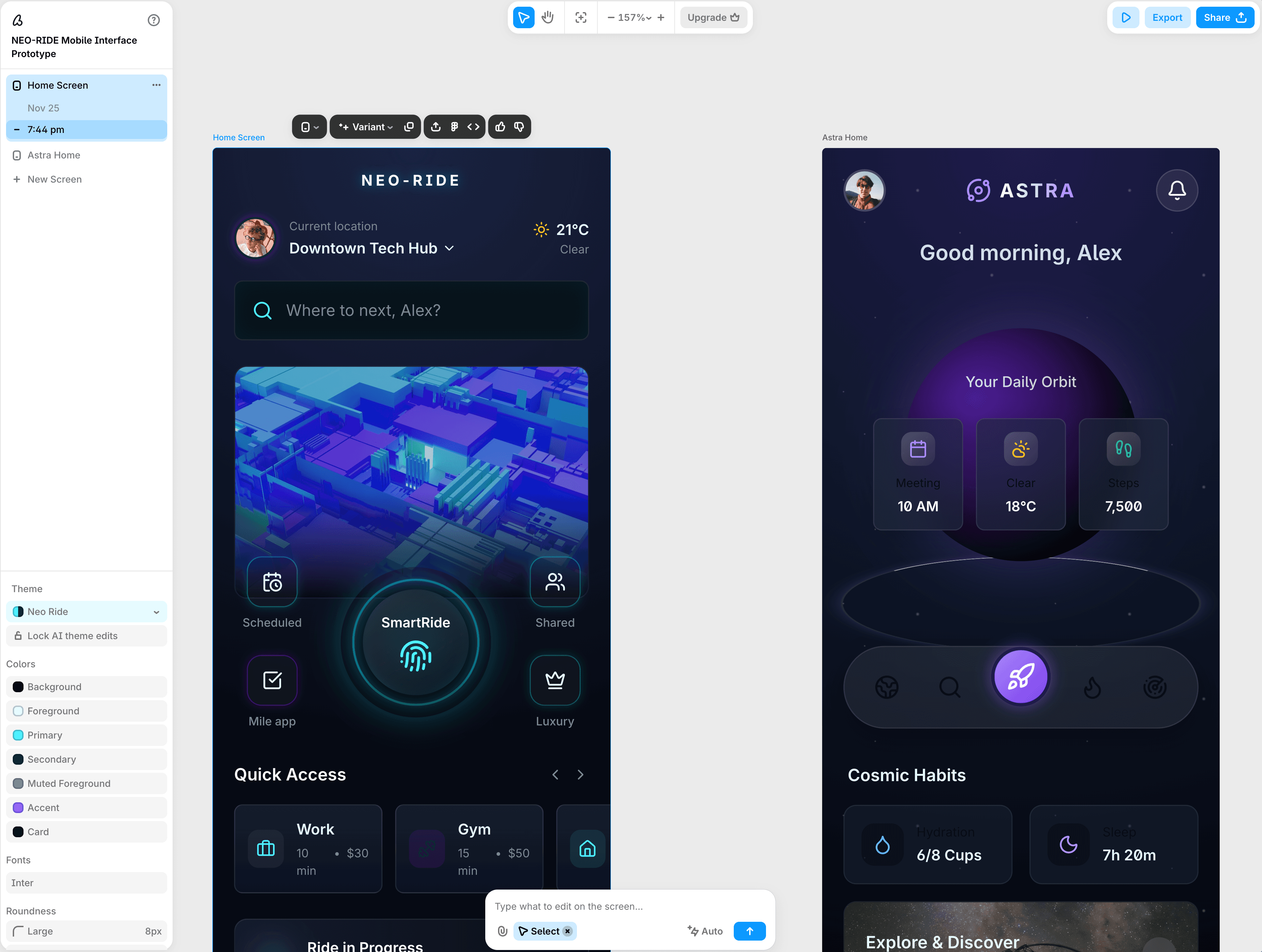
Tool Screenshot
My Video On This Tool
Similar Tools
Banani is an AI-powered UI design tool that turns text prompts into editable, multi-screen UI prototypes in seconds.
Tool Screenshot
My Video On This Tool
Similar Tools
Overview
Banani is an AI-powered UI design tool that generates editable, multi-screen UI prototypes from simple text prompts. Describe your product idea in plain language, drop in a screenshot or Figma link, and Banani delivers a high-fidelity, clickable design in seconds (ready to refine, share, or hand off to developers).
Banani stands out for its speed and simplicity. You don't need to know design systems, usability patterns, or how to use a traditional design editor. The AI handles the heavy lifting while you stay in control of the direction. Click any interactive element in your prototype and Banani predicts what should happen next, generating the linked screen automatically. The result: a working interactive flow without manually wiring up every transition.
Entrepreneurs and startup founders who want to visualize a product idea fast, without hiring a designer.
Project managers who need to communicate concepts visually and validate ideas with stakeholders.
Non-designers (developers, indie hackers, students) who want professional-looking UIs without the learning curve.
Designers looking for an AI copilot to speed up ideation, wireframing, and layout exploration.
Text-to-UI generation: Turn a plain-language prompt into a multi-screen, interactive prototype in seconds.
Image and screenshot-to-UI: Upload any image, screenshot, or Figma link and Banani extracts the style and layout to recreate or remix it.
Interactive click-through prototypes: Click any element in your design and the AI auto-generates the corresponding next screen.
AI and manual editing: Refine designs through chat prompts or manually adjust colors, typography, and design tokens.
Figma export: Send designs directly to Figma with auto layout preserved for deeper refinement.
Code export: Export as HTML/CSS, or connect to AI coding agents like Claude Code, Cursor, and Codex.
Share links: Send preview or prototype links to teammates for fast feedback and collaboration.
Private by default: Your projects and generated content are kept private and never used for AI training.
Free plan available: Start with free daily credits, then upgrade for team and advanced features.
If you want AI to do most of the UI design work while you stay focused on the idea, Banani is the easiest entry point in the AI UI design space. It's built for speed, not complexity, making it the perfect choice for rapid prototyping, early ideation, and non-designers who still want polished, production-ready results.