Google Stitch
Google's AI UI design tool that turns text prompts into mobile and web interfaces with exportable front-end code.
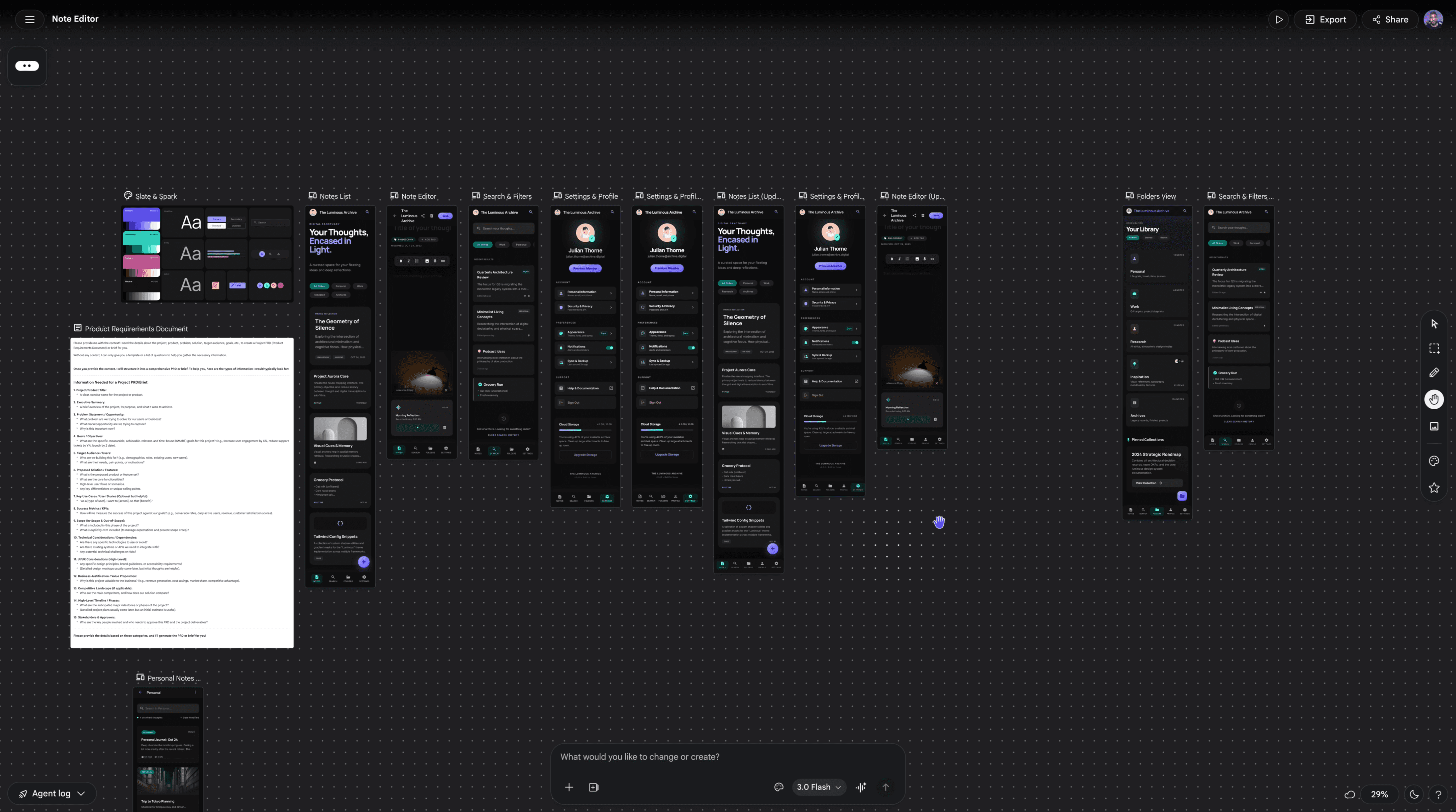
Tool Screenshot
My Video On This Tool
Similar Tools
Google's AI UI design tool that turns text prompts into mobile and web interfaces with exportable front-end code.
Tool Screenshot
My Video On This Tool
Similar Tools
Overview
Google Stitch is an AI-native UI design tool from Google Labs that turns text prompts, sketches, or screenshots into high-fidelity mobile and web interfaces in minutes. Originally launched as Galileo AI and rebranded after Google's acquisition, Stitch now runs on Gemini 2.5 Pro and Nano Banana Pro, generating complete UI screens with exportable front-end code straight from natural language.
Positioned as a "vibe design" tool rather than a professional design platform, Stitch is Google's answer to tools like Lovable and Figma Make, aiming to close the gap between idea and working prototype without requiring Figma skills or a development team.
Stitch generates full UI screens from a single prompt, places them on an AI-native infinite canvas, and lets you iterate through conversation, annotations, or voice commands. You can redesign existing interfaces from screenshots, generate interactive prototypes, create variations, and export everything to Figma, Google AI Studio, Antigravity, or as clean HTML and Tailwind code.
The tool's biggest differentiator is its prototyping workflow. Unlike most AI UI generators, Stitch lets you manually edit prototype flows, connect screens, and even "imagine new screens" where the AI generates entirely new pages based on a button's context.
Stitch is built for non-designers who need to move fast:
Founders and entrepreneurs validating product concepts
Product managers and stakeholders communicating requirements visually
Developers building internal tools or admin dashboards without a designer
Agencies producing rapid client mockups
Professional UI/UX designers will find the tool limited. There's no manual component editing, no reusable symbols, no true responsive design (mobile requires a separate generation), and limited control over app flows. For pro workflows, tools like UX Pilot still offer deeper editing and higher-fidelity output.
AI-native infinite canvas for organizing screens, ideas, and multiple projects side by side
Dual Gemini models: Gemini 2.5 Flash (Standard, 350 generations/month) and Gemini 2.5 Pro (Experimental, up to 200 generations/month)
Prompt-to-UI generation for both desktop and mobile layouts
Screenshot redesign powered by Nano Banana Pro
Interactive prototyping with manual screen linking and the "imagine new screen" feature
Design System creation with Theme customization and DESIGN.md custom instructions
Annotate feature for drawing feedback directly on screens, interpreted by Gemini
Predictive heat maps that highlight where user attention will land
Variations and mobile versions generated on demand
Export options: Figma, Google AI Studio, Antigravity, GitHub (via Jewels), HTML/Tailwind code, ZIP, and MCP integration
Project brief generation that reverse-engineers requirements from your designs
Agent manager for running parallel ideation threads
Voice commands for real-time design critiques
Google Stitch is currently free through Google Labs with monthly generation limits (350 Standard, 200 Pro). No paid plans have been announced, though Google may introduce pricing as the tool exits beta.
Stitch is the easiest AI UI tool to pick up, and being completely free gives it a huge edge over paid competitors. The prototyping tools and export ecosystem are genuinely impressive. But if you're a professional designer looking for pixel control, reusable components, and truly responsive output, you'll outgrow it quickly. For everyone else, it's worth trying today.