Hera
AI motion design tool that transforms UI screenshots and Figma designs into animated marketing videos via prompts.
Tool Screenshot
My Video On This Tool
Similar Tools
AI motion design tool that transforms UI screenshots and Figma designs into animated marketing videos via prompts.
Tool Screenshot
My Video On This Tool
Similar Tools
Overview
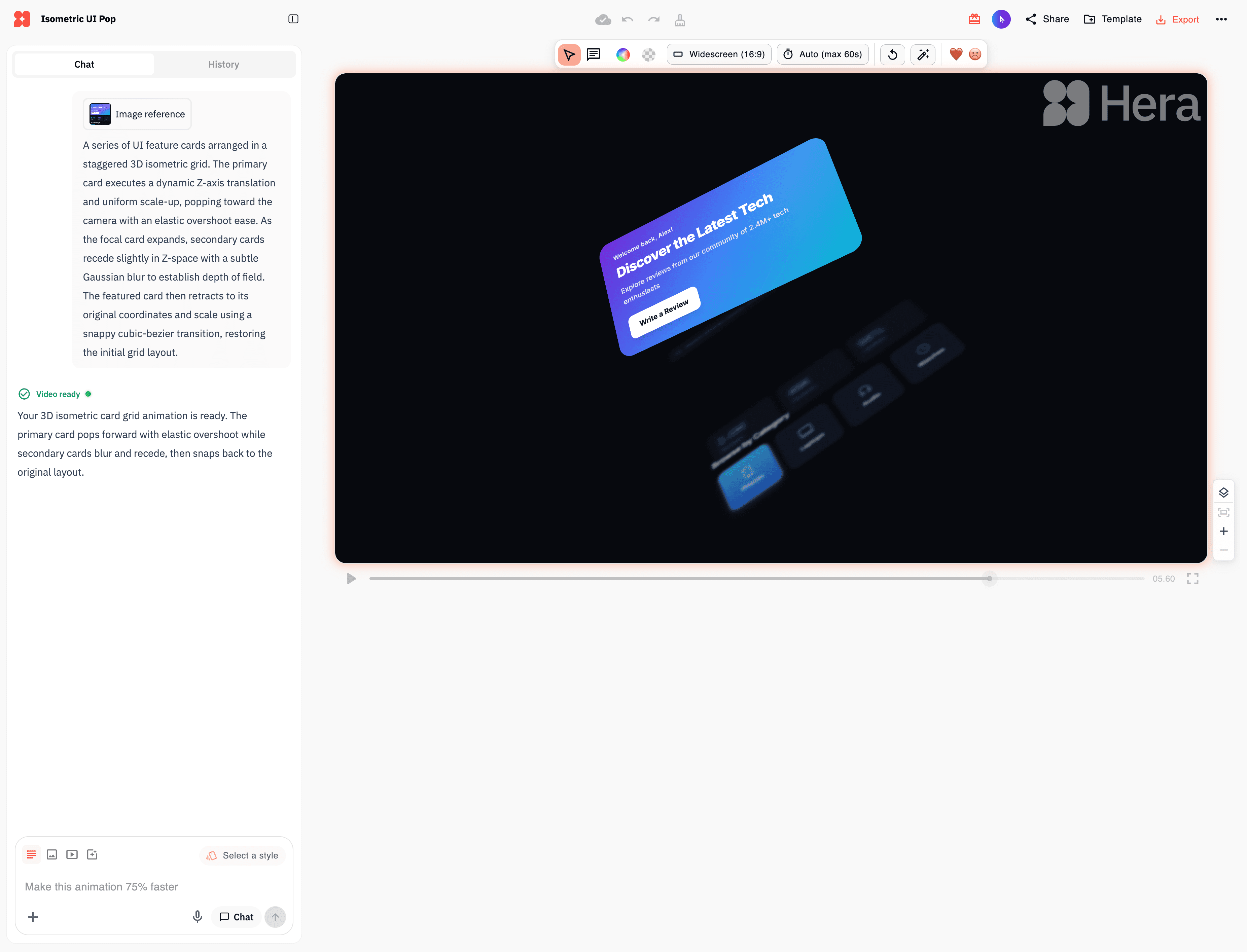
Hera is an AI-powered motion graphics platform that transforms static UI designs, Figma layers, and screenshots into professional animated videos in minutes. Instead of spending hours clicking buttons in Adobe After Effects, you write a prompt and Hera's AI handles the tedious animation work, turning 5-hour projects into 5-minute tasks.
Hera intelligently recreates the layers of your UI design (even from a single screenshot) and animates each element separately based on your text prompt. You can animate numbers counting up, make elements enter the viewport with smooth transitions, zoom into specific sections, flip components in 3D, and much more. The output is a high-quality video ready for marketing campaigns, product demos, tutorials, and social media content.
The tool leverages natural language processing to convert descriptions into dynamic motion graphics, with an "Enhance Prompt" feature that expands your instructions so the AI understands exactly what you want, and a "High Quality Design" mode that prioritizes visual polish over rendering speed.
Hera is built for anyone who needs professional motion graphics without mastering complex animation software:
UI/UX designers showcasing their work with polished motion demos
Product teams creating feature announcements and onboarding videos
Content creators and YouTubers producing infographic animations
Marketing teams and agencies generating on-brand campaign content
Founders and startups making demo videos without hiring a motion designer
Social media managers creating scroll-stopping animated posts
Text-to-animation generation: Turn written prompts into fully animated motion graphics in seconds
Figma layer support: Import Figma files and animate each design layer individually
Screenshot animation: Hera automatically rebuilds layers from a single UI image
Enhance Prompt tool: AI expands your prompt so the output matches your intent
High Quality Design mode: Prioritizes visual quality over speed for premium results
Customizable backgrounds: Add solid colors, gradients, or branded backdrops
Aspect ratio control: Export for YouTube, Instagram, TikTok, or presentation formats
Brand kits: Keep colors, fonts, and logos consistent across every animation
Template library: Start from pre-built motion designs and remix them
Real-time preview: See changes instantly without waiting for long renders
Video export: Deliverable is a ready-to-share video (not code or UI assets)
Write clear, specific prompts and let the AI do the heavy lifting. Manual on-canvas editing is still glitchy, so avoid it whenever possible. Always keep "Enhance Prompt" and "High Quality Design" toggled on, and you'll be surprised at how accurately Hera adheres to your instructions, even when starting from a plain screenshot of your UI.