MagicPath
AI-powered UI design tool for generating pro-level components, variations, and states on an infinite canvas.
Tool Screenshot
My Video On This Tool
Similar Tools
AI-powered UI design tool for generating pro-level components, variations, and states on an infinite canvas.
Tool Screenshot
My Video On This Tool
Similar Tools
Overview
Magic Path is an AI design platform built on an infinite canvas, created to help designers generate, refine, and explore high-quality UI components using natural language. Positioned as "the Cursor moment for design," it combines the speed of AI generation with the precision control that professional designers expect from modern tools.
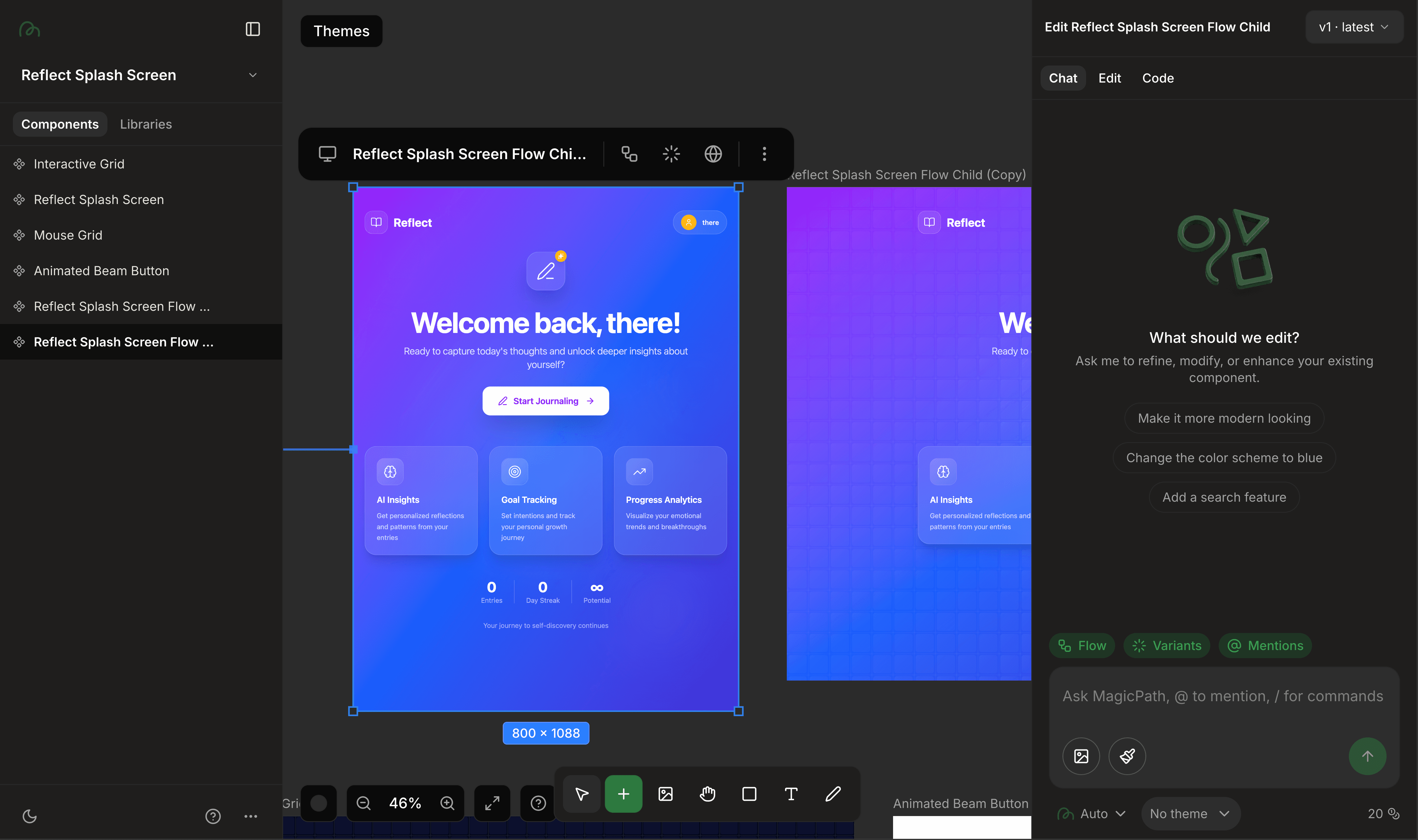
Magic Path turns text prompts into production-ready UI components, pages, and interactive flows. Unlike full-page AI generators that focus on quick landing pages, Magic Path is crafted around the component level, making it a strong fit for structured product design. You can generate a button, card, or modal, then create variations, states, and flows around it, all inside a single infinite canvas.
Designs can be edited visually after generation: change fills, typography, spacing, or layout directly, and Magic Path propagates the changes across your design (for example, updating every gray style to beige in one move). This keeps creative control in the designer's hands rather than locking you into whatever the AI generated.
UI/UX designers working with a team who need a tool that supports design systems and component libraries.
Product designers applying methodologies like atomic design or the double diamond approach.
Design engineers and front-end developers who want clean React, HTML, or CSS output.
Startups and agencies shipping structured products where component states and variations matter.
If you need quick landing pages or Figma-first handoff, other AI design tools will serve you better. Magic Path is built for teams that want depth, structure, and ownership over every component in their product.
Infinite Canvas Workspace: A Figma-style canvas where components live as full, editable experiences, not static screenshots.
Natural Language Generation: Describe components in plain English (examples: "three checkboxes in a list within a modal" or "analytics dashboard with charts and metric cards") and get usable UI instantly.
Component-Level Focus: Generate individual building blocks, then create variants, states (hover, active, disabled), and flows for each.
Visual Editing: Tweak colors, typography, spacing, and layout directly on the canvas, with style changes that propagate across the design.
Version History: Magic Path auto-saves every version, so you can revert to any previous state from the dropdown menu.
Custom Themes: Apply brand colors, typography, and design rules consistently across all generated designs.
Parallel Component Work: Generate and refine multiple components at once for faster exploration.
Interactive Prototypes: Preview designs in a simulated browser environment with hovers, transitions, and clickable interactions, great for client demos and MVPs.
Figma Connect: Copy and paste Figma designs into Magic Path to turn them into interactive prototypes without plugins or MCP setup.
Code Export: Export clean, production-ready React, HTML, and CSS, or copy components directly into your codebase.
Asset Export: Download designs as PNG or SVG for quick sharing and documentation.
Sharing and Collaboration: Share designs and prototypes with teammates and clients for faster review cycles.
Magic Path stands out because it does not replace the designer, it amplifies them. You get AI speed for ideation and component generation, paired with the manual control needed to build real, structured products. For designers working on complex systems where states, variations, and code quality matter, Magic Path is the AI design tool that respects the craft.